Schwerkraftmaschine Deesser Mode Explained
- 07.03.2017
- Michael Krusch
- Story
- Schwerkraftmaschine
Part 11 of our review of the different compression modes in the Schwerkraftmaschine
Sibilants in singing voices can hurt listeners' ears and ruin even a good song.
The effect often comes from poor singing technique. But certain microphones are also known for being particularly susceptible.
However they arise – they're annoying.
How to get rid of them
Where possible you have the singer redo the part. But that's not always an option.
The next best choice is to call up the problematic spots in the audio editor and reduce the sibilants by hand.
But that can be a mountain of work.
De-essers are another effective alternative.
They analyze the audio signal, reducing levels when a sibilant is detected. Because sibilants tend to occur in certain frequency bands, de-essers focus specifically on those ranges.
There are two possible techniques: one attenuates the entire signal, the other impacts only the relevant frequency band.
Broadband attenuation is good because it doesn't change the sound of the signal. Frequency-selective attenuation by contrast does modify the sound, but in a targeted manner. The rest of the signal remains unchanged beyond the attenuation of the sibilants.
The Schwerkraftmaschine's approach
Because the Schwerkraftmaschine doesn't place filters in the signal path, it attenuates the audio signal using the broadband method whenever sibilants are detected.
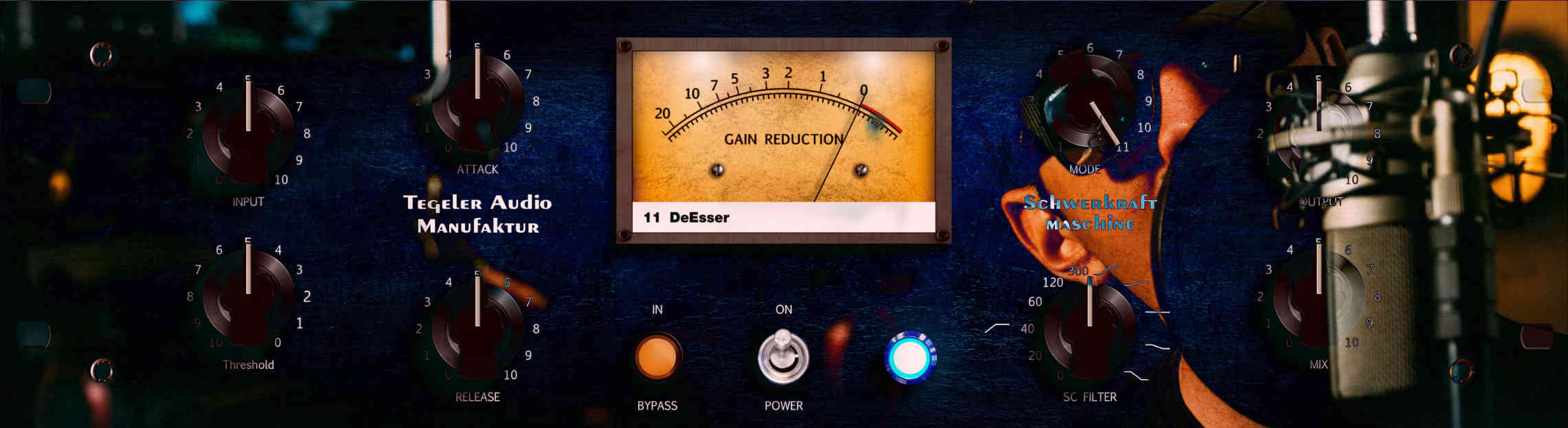
The side-filter potentiometer serves as the frequency regulator for sibilant detection.
It doesn't matter what labels are on the knob.
The potentiometer runs from left to right in a frequency band from 500 Hz to 10 kHz.
How to Set Up Deesser Mode
The Deesser is the one mode where the side-chain filter pot has a different job than usual: it isn't a low-cut or tilt EQ, it sets the frequency range in which the Schwerkraftmaschine listens for sibilants. The workflow: first set the threshold so the unit doesn't react to normal singing. Then turn the side-filter pot slowly from left to right until the gain-reduction meter moves exactly on the s and sh sounds. Then use the threshold to dial in how much attenuation you want. Because the attenuation is broadband, keep it subtle – as much as needed, as little as possible.
The advantage of this approach: between sibilants the voice sounds exactly as before – no filter in the signal path, no coloration, just the tube and transformer sound the Schwerkraftmaschine brings anyway. And like every setting, this one is saved with your song via the plug-in.
Combining Deesser and Vocal Leveler
The Schwerkraftmaschine runs one mode per pass. If you want to both level and de-ess a vocal track, run it twice – Deesser first, then Vocal Leveler – or handle the de-essing in the DAW and leave the leveling to the Schwerkraftmaschine. The video shows Deesser mode at work on a real vocal track.
The Video: Deesser in Action
Interested in testing the Schwerkraftmaschine for 14 days in your studio?
Simply register here
The Series: All 11 Compression Modes of the Schwerkraftmaschine
Part 1: Multi-Band Complex · Part 2: Diode Pressor · Part 3: Breakthrough · Part 4: Stereo Transformer (MS Processing) · Part 5: Schwerkraftmaschine vs. Vari Tube Compressor · Part 6: Vocal Leveler · Part 7: Optical Compressor · Part 8: Drum Smasher · Part 9: Classical VariMu · Part 10: Chart Analysis · Part 11: Deesser
Related: Schwerkraftmaschine Vocal Leveler Explained · Wake Me Up: Vocals with VTRC & Schwerkraftmaschine
