Creme RC
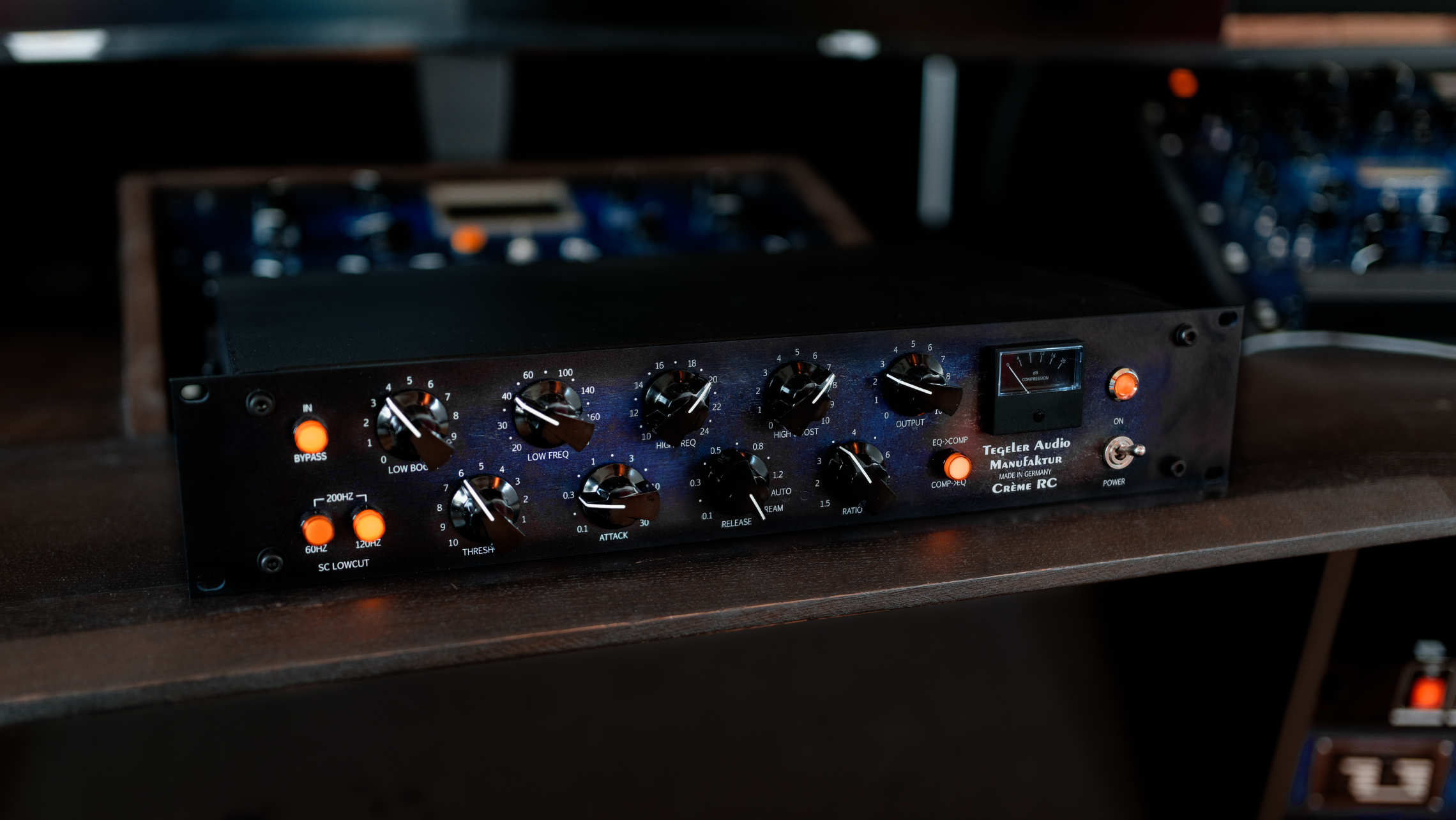
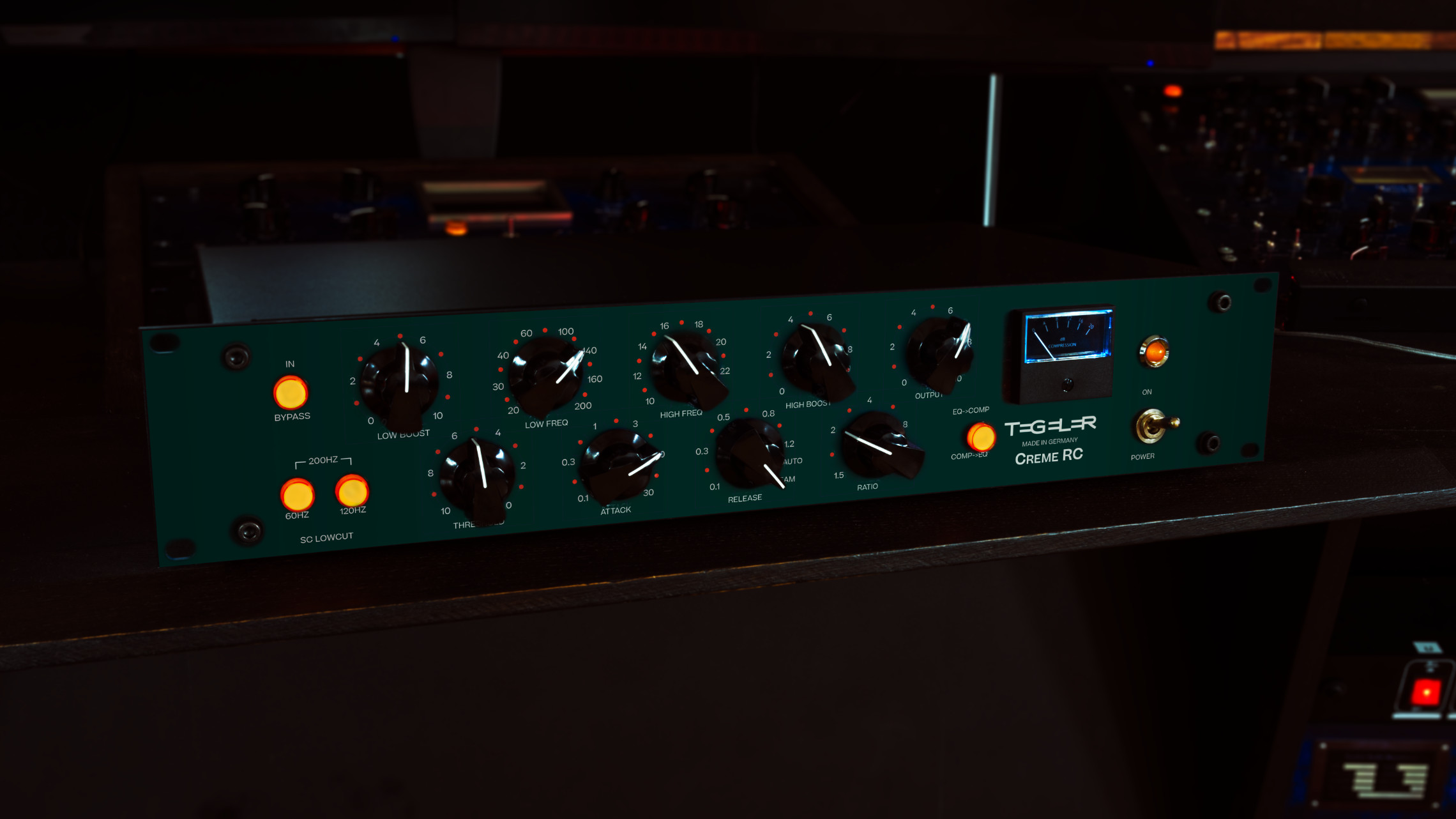
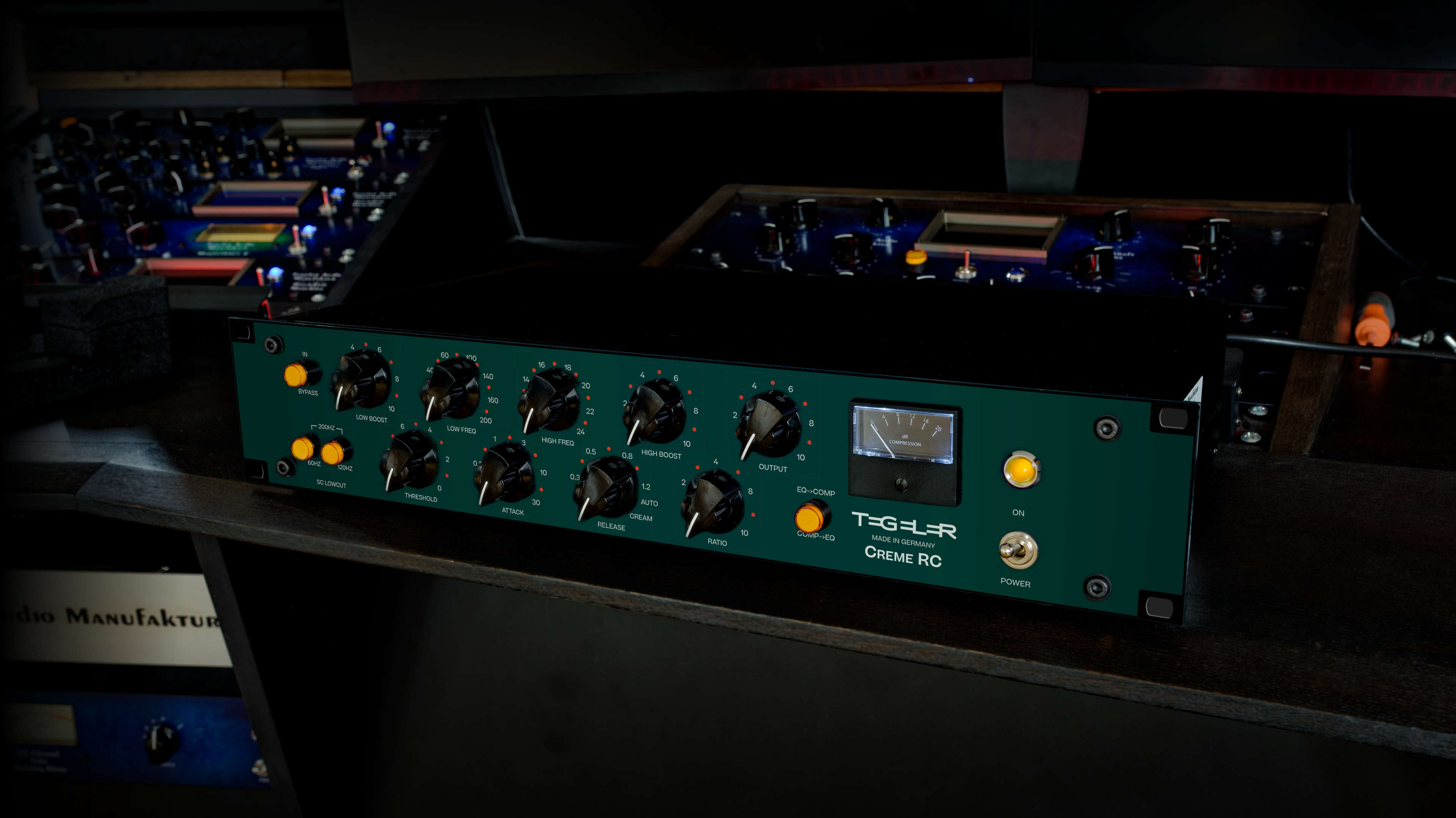
The Creme RC combines a passive Pultec-style EQ and a tested bus compressor in one device. Remote controllable by a DAW plugin.
Buy

Price 1.847,90 €
Demo
Test it
Fall in love
Or simply send it back
Register now and get the Creme RC for
- You register.
- We send you the device to your studio by appointment.
- You try it out for 14 days.
- Then you decide if you want to keep it.
- If not, you can return it without any ifs or buts.
Description
Creme RC
Remote Controllable Bus Compressor and Mastering Equalizer
Your mix is balanced.
Every part sits where it should.
And still, it sounds like a mix, not a record.
The engineers behind the records you love close that gap in the same place: the master bus.
A little EQ to open the top and firm up the lows, a few dB of compression to pull everything together. The same move that lets you hear, while you’re still mixing, how the track will sit once it’s mastered.
The Creme is built for exactly that moment: a passive Pultec-style EQ and a high-end bus compressor in one device.
But where compression usually dulls the top end, the Creme keeps it silky and brilliant.
The mix gains shine and glue at once, and your tracks stop sounding worked-on.
They start sounding finished.
And once a mix is finished, the Creme RC keeps it.
Every control sits on a servomotor, so the exact settings that finished one record are back in place the moment you open the next session.


Two legends. One box.
On their own, a Pultec-style passive EQ and an SSL-style bus compressor are two separate boxes, a classic finishing pair.
The Creme puts both in one.
Switch the order.
EQ before the compressor, or compressor before the EQ: the placement is switchable, so you decide what shapes what.
At home on the master, too.
Built for the mix bus, the Creme is just as suited to mastering.
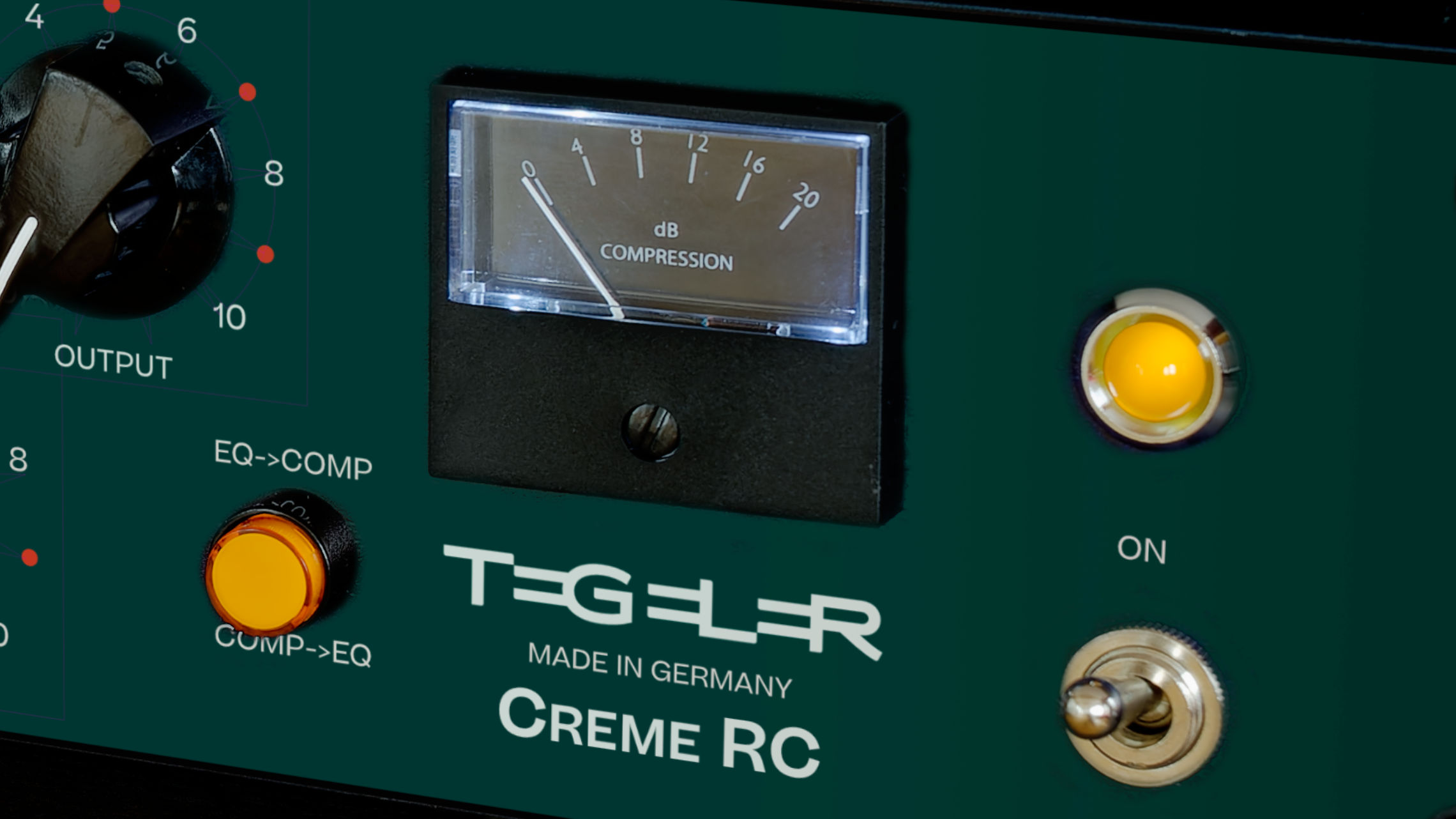
The glue of an SSL-style bus comp
On the mix bus, the Creme’s VCA compressor does what made the SSL-style bus compressor a standard: it pulls the separate parts into one cohesive whole.
Its characteristic, powerful sound can take every mix to the next level.
No lost top. It brightens.
Where compression usually costs you the high end, the Creme doesn’t.
The often lamentable loss of high notes simply doesn’t happen here. Instead, the signal sounds as if it had already been fed through an exciter.
The compressor can work hard and still give your mix a more open, brilliant sound.
Push it hard, it stays clean.
The compression is harmonic in nature.
The sound always stays transparent, and every instrument keeps its own place in the mix.
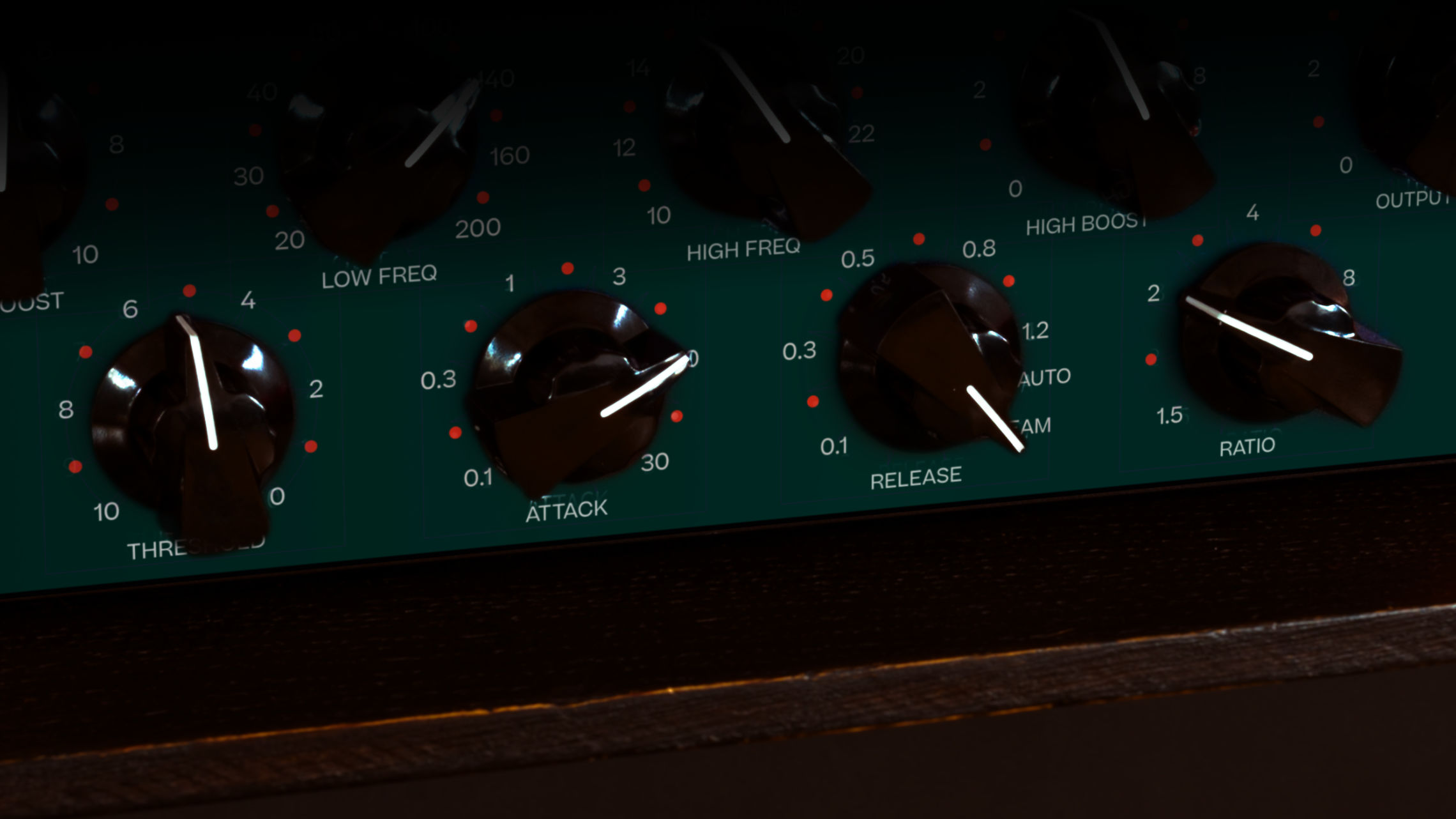
Heavy bass, no pumping.
The basses come together as a unified whole, tightened with lean dynamics.
And the switchable low-cut filter in the side chain ensures that even heavy bass doesn’t lead to pumping when you don’t want it.
Invisible glue or rhythmic pump? Your call.
Want it inaudible? At 1.5:1, the Creme gives you the gentlest, most transparent leveling. Want character?
Open up the ratio and the timing, and it gives the track a rhythmic signature of its own.
The shine of a Pultec
Passive equalizers, with their elaborate circuits of coils and capacitors, are still among the most popular sound shapers for mastering.
We took the filter circuitry of the original Pultec, the same that made our Classic Equalizer a high-performance sound machine, and carefully reworked it for the mix bus.
No other type of EQ sounds this good across almost any setting.
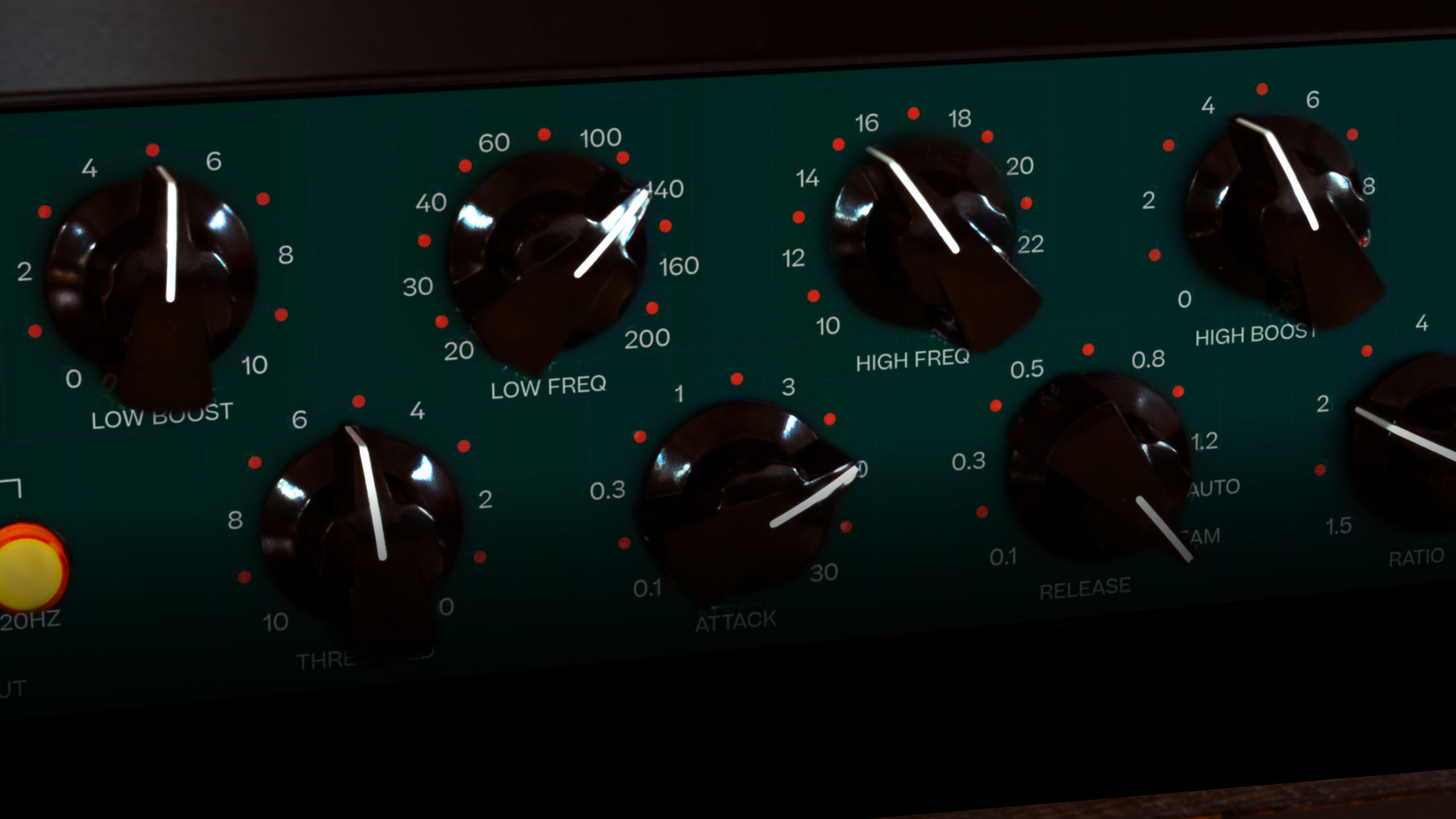
Silky highs that earn the name.
Soft, silky highs that deserve the name. The air a mix needs to sound finished, with a boost that reaches all the way up to 24 kHz.
Weight on the bottom, not mud.
A bass boost that gives the mix a solid foundation and real thrust, without squashing everything into an indistinct nothingness.


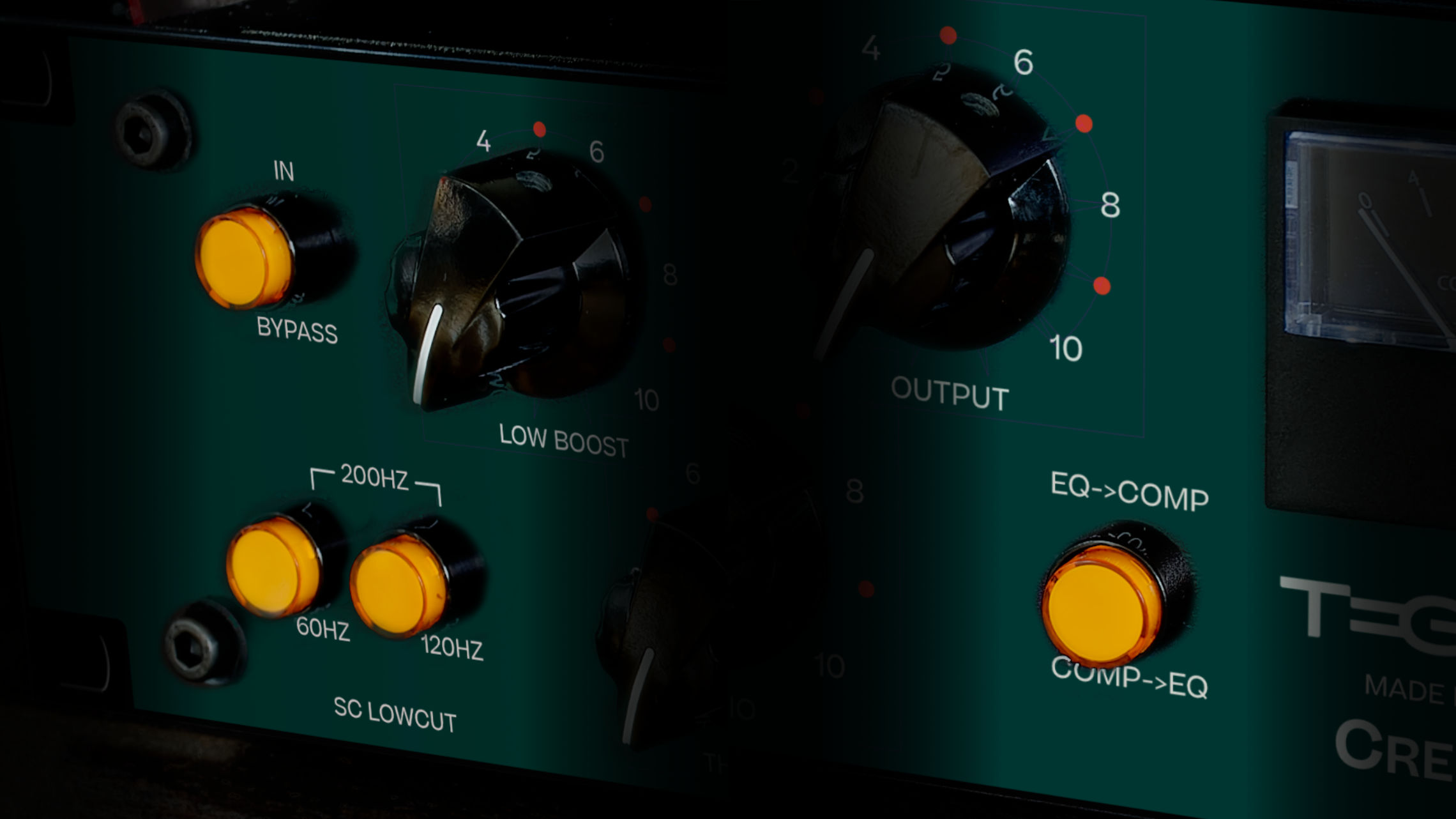
Motorized controls, repeatable stereo.
On the Creme RC there are no rotary switches: every control sits on a motorized potentiometer, set electrically and nearly stepless.
Every setting returns to exactly the value you chose, and that gives the Creme RC precise stereo tracking and perfect recall.
The result is an EQ you really have to hear
Hear it only once, and you’ll forever miss its absence.
If you’ve never heard it, it’s that EQ that you’ve always been looking for.
Remote-controlled
Every control on the Creme RC sits on a servomotor.
The signal path stays fully analog, exactly as the Creme has always been. What changes is everything around it.
Recall in seconds, not by hand.
Open your project, and the Creme RC plugin turns every knob back to where you left it.
No front-panel photos, no scribbled notes, no rebuilding a setting by ear. The analog chain that finished your mix is simply there again.
Automate it like a plugin.
Ride a parameter across the arrangement, draw it in, let it move with the song.
The Creme RC takes automation the way any plugin would, while the audio stays on real analog circuitry.
Three ways to drive it.
Reach for the front panel, open the built-in web server in any browser, or run the DAW plugin (AU, AAX, VST).
Whatever fits your workflow.
Connected over Ethernet.
The Creme RC talks to your computer over Ethernet, so cable length is no longer the limit it is with USB.
Prefer it wireless? Through your router, that works too.

Creme or Creme RC?
Inside, the Creme RC is the Creme: the same fully analog signal path, the same EQ, the same compressor, the same sound.
What the RC adds sits around it: motorized controls, recall and automation from your DAW, control in the browser, and a third side-chain low-cut position at 200 Hz.
If you finish one mix at a time and never come back to a setting, the Creme gives you the same sound with classic rotary switches.
If sessions come back, if you master, or if you want to automate the analog chain, the Creme RC is built for you.
Read more
Amazona.de Reviews the Creme RC: Verdict and Facts
Why Ethernet? Remote-Controlled Hardware Explained
Photos

Videos
Review
Produce Like A Pro
Automated Hardware Compressor/EQ with a Plug In - Tegeler Creme RC
English / English
Carlos Larez
Tegeler Creme RC l EQ tipo Pultec y Compresor VCA en uno!
Español / Spanish
Euge Valovirta
Tegeler Audio Manufaktur - Creme RC | Pultec style EQ & SSL style bus compressor in one
English / English
Audio Animals Studio
Tegeler Creme RC Review - Digitally Recallable Hardware
English / English
La Machine à Mixer
CREME RC: Quand l'analogique se marie à votre DAW
Français / French
Adrian Schinoff
Tegeler Audio Creme RC Demo
Español / Spanish
White Sea Studio
Is the Tegeler Creme RC any good???
English / English
ぱくゆうチャンネル
Tegeler Audio Creme RC 徹底レビュー!!
日本語 / Japanese
Audio Toolshed
Is this the perfect hybrid Compressor & EQ? Tegeler Creme RC review
English / English
2probeats
Tegeler Creme RC Mixbus Demo : Rap / Trap / R&B Pop
English / English
Dom Sigalas
Tegeler Audio Creme RC In-Depth Review - The Ultimate Analogue Bus Glue?
English / English
Larsipilami
HOW TO | EPISCHE FILMMUSIK Creme RC & Schwerkraftmaschine
Deutsch / German
Rémi Orts
Tegeler Creme RC - Le test
Français / French
Jon Sine
Most amazing piece of analog gear
English / English
Sound Demo
Enzo Music
Jean Michel Jarre - Oxygene Pt. 2 (Cover/Remake by Enzo Margaglio)
English / English
Features
Features
Equalizer
- Passive EQ (Pultec style)
- Bass boost frequencies: 20, 30, 60, 100, 140, 200 Hz
- Bass boost level: 0–5 dB switchable
- High boost frequencies: 10, 12, 16, 18, 20, 24 kHz
- High boost level: 0–5 dB switchable
- Motorized potentiometers for exact recall
Compressor
- Side-chain lowcut filter: 60, 120, 200 Hz
- Attack: 0.1, 0.3, 1, 3, 10, 30 ms
- Release: 100, 300, 800 ms, 1.2 s, Auto, Cream
- Ratio: 1.5, 2, 4, 10
- Motorized potentiometers on all controls
- Balanced inputs and outputs
Remote Control
- Servo-motorized controls for full recall
- Control via front panel, internal web server, or DAW plugin
- Plugin formats: AU, AAX, VST
- Parameter automation in the DAW
- Ethernet connection (no USB cable-length limit)
- Wireless operation via router
Specifications
- Frequency Response: 20 Hz–40 kHz
- Maximum Input Level: +22 dBu
- Input Impedance: ≥ 10 kΩ
- Output Impedance: < 600 Ω
- Maximum Output Level: +24 dBu
- Dynamic Range: ≥ 110 dB
- Voltage: 230 V~/50 Hz or 115 V~/60 Hz
- Fuse: 500 mA slow-blow
- Maximum Power Consumption: < 25 W (0.1 A at 230 V)
- Dimensions: 2 U, H: 88.1 mm, W: 483 mm, D: 250 mm
Reviews

Amazona.de
- 2021-09
- Timm Brockmann
"Push your sound to the next stage and make it pop!" – The Tegeler Audio Manufaktur Creme RC keeps its promises and comes with a modern, punchy sound that almost always fits and cuts through.
The symbiosis of analog sound and digital control is implemented very successfully and lifts the Creme RC above the large number of analog signal processors.
The Creme RC provides a modern, unmistakable analogue sound and thus is a real purchase recommendation.
FAQ
64-bit is backwards compatible up to version 10.13
- Standalone (beta)
- VST
- VST3
- AU
- CLAP (beta)
- AAX
Windows 10/11
all AMD64 systems
- Standalone
- VST
- VST3
- CLAP
- AAX
For economic and environmental reasons, we refrained from throwing away everything with the old logo. Instead, we will replace all parts and materials piece by piece. Of course, when you buy a unit, you get the same quality no matter what logo is on the outside.
Use the plugins context menu (right click) to show the IP address of the Creme RC. You can also go directly to the Creme RC website from the context menu.
The Creme RC gets its IP address from a local DHCP server in you network. You will find the DHCP server in your internet router or network server. Look for a list of taken IP addresses.
- Check if you have the latest plug-in version installed.
- Windows: Add a share for your DAW(s) to Windows Defender or other firewalls or antivirus programs: https://www.youtube.com/watch?v=IDewmCvFs2M.
- If that doesn't help, email contact@tegeler.com with the following information:
A detailed error description incl. OS version, DAW version, Plugin version, What exactly happens after you do what?
Please send us screenshots of your network settings if applicable (see Quickstart Network Guide).
Option 1
Use a Wifi repeater with LAN connector.It builds a bridge between the ethernet of the device and your Wifi network.
Option 2
Connect the device via network cable to your computer and enable internet sharing.The device needs a DHCP server to get an IP address. Bridge the two network connections on your PC so the router's DHCP server can reach the device.
- Open
Control Panel→Network and Internet→Network Connections - Select both network interfaces (your router connection and the TAM device connection) by holding Ctrl and clicking both
- Right-click and select
Bridge Connections
The device will now receive an IP address from your router and will be found by the plug-in automatically.
Set a static IP address on your PC's Ethernet interface manually.
- Open
Control Panel→Network and Internet→Network Connections - Open the
Propertiesof the Ethernet interface connected to the device - Select
Internet Protocol Version 4 (TCP/IPv4)and clickProperties - Select
Use the following IP address - Enter IP address:
10.20.30.1, Subnet Mask:255.255.255.0 - Click OK
Then open the plug-in and enter the IP address of your device manually:
10.20.30.40for the Schwerkraftmaschine10.20.30.41for the Raumzeitmaschine10.20.30.44for the Creme RC
Click OK. The plug-in will connect directly to the device.
Set a static IP address on your Mac's Ethernet interface manually.
- Go to
System Settings→Network - Select the Ethernet interface connected to the device
- Under
Configure IPv4, selectManually - Enter IP address:
10.20.30.1, Subnet Mask:255.255.255.0
Then open the plug-in and enter the IP address of your device manually:
10.20.30.40for the Schwerkraftmaschine10.20.30.41for the Raumzeitmaschine10.20.30.44for the Creme RC
Click OK. The plug-in will connect directly to the device.
Simply set up an Internet share for your Mac's network interface.
Go to
System Preferences->Shares, select Internet Sharing on the left. At
Share connection, select your internet connection (e.g. WLAN). At
With computer via: select the interface that is connected to the device. 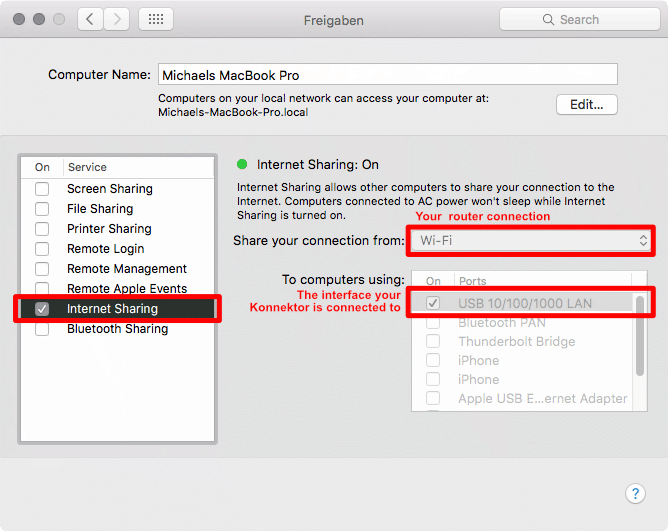
Now the device will get an IP address and will be found by the plugin.
Please fill in the form before: Fill in the RMA form.
In the USA, we have a partner who handles repairs on our behalf to make things easier for you.
Please contact the Audio Collective Group at customerservice@audiocollectivegroup.com to discuss the next steps.
Right-click on the plug-in interface and check "Ignore empty presets" to fix this.
Downloads
Plug-in
Manual
Previous versions- Linux Version 2.1.4
- macOS Version 2.1.4
- Windows Version 2.1.4
- Linux Version 2.1.3
- Mac Version 2.1.3
- Windows Version 2.1.3
- Linux Version 2.1.2
- macOS Version 2.1.2
- Windows Version 2.1.2
- Linux Version 2.0.3
- macOS Version 2.0.3
- Windows Version 2.0.3
- macOS beta Version 2.0.1
- macOS beta Version 2.0.0
- macOS Version 1.6.8
- Windows Version 1.6.8
- macOS Version 1.6.6
- Windows Version 1.6.5
- macOS Version 1.6.1
- macOS Version 1.6.0
- Windows Version 1.6.0
- macOS Version 1.5.4
- Windows Version 1.5.4
- macOS Version 1.4.4
- Windows Version 1.3.9
- macOS Version 1.3.6
- Windows Version 1.3.6
- macOS Version 1.3.5