Raumzeitmaschine
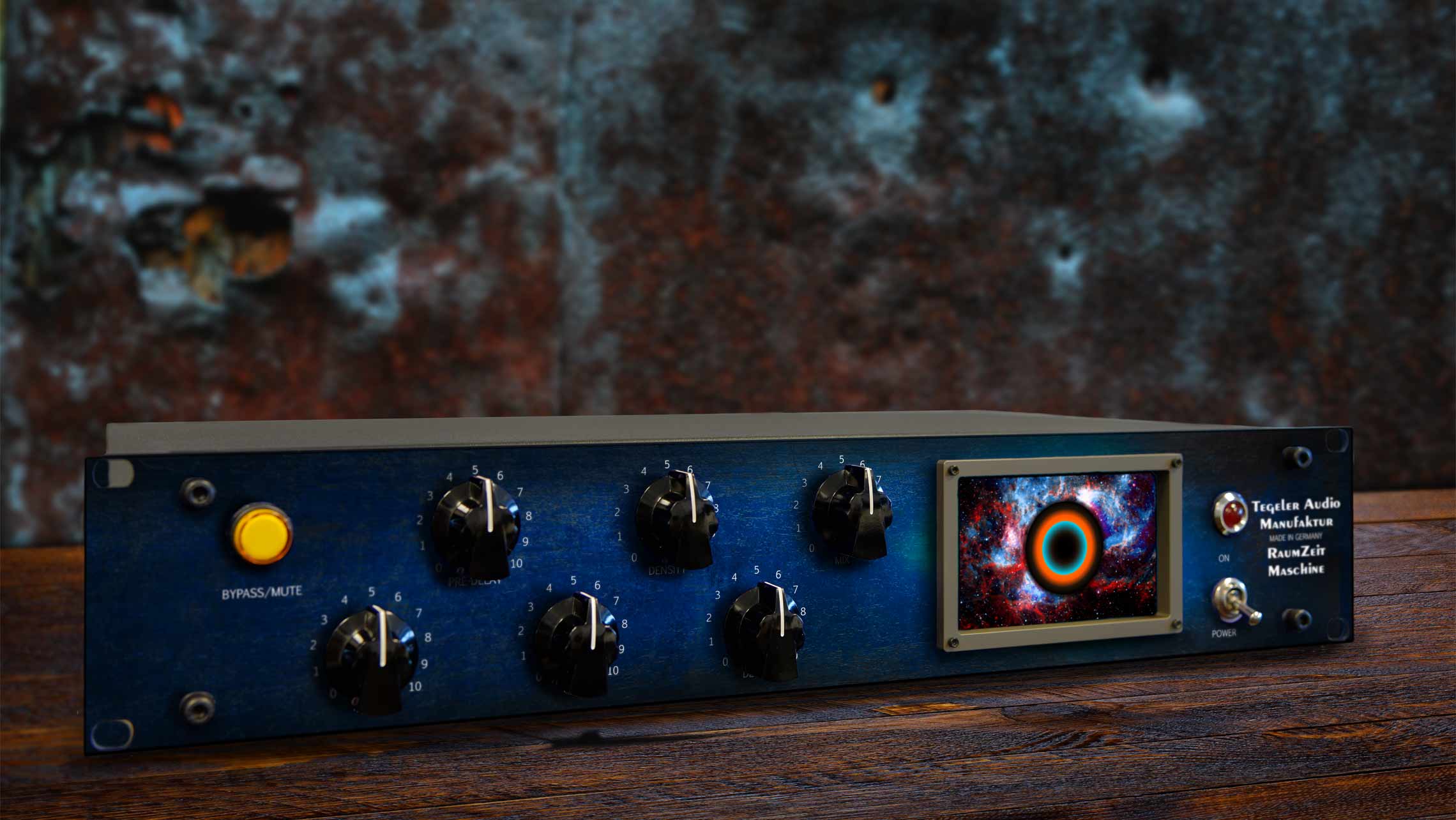
Room processor. Remote controllable by a DAW plugin.
Buy

Price 2.699,00 €
Demo
Test it
Fall in love
Or simply send it back
Register now and get the Raumzeitmaschine for
- You register.
- We send you the device to your studio by appointment.
- You try it out for 14 days.
- Then you decide if you want to keep it.
- If not, you can return it without any ifs or buts.
Description
Raumzeitmaschine
Tube Reverb
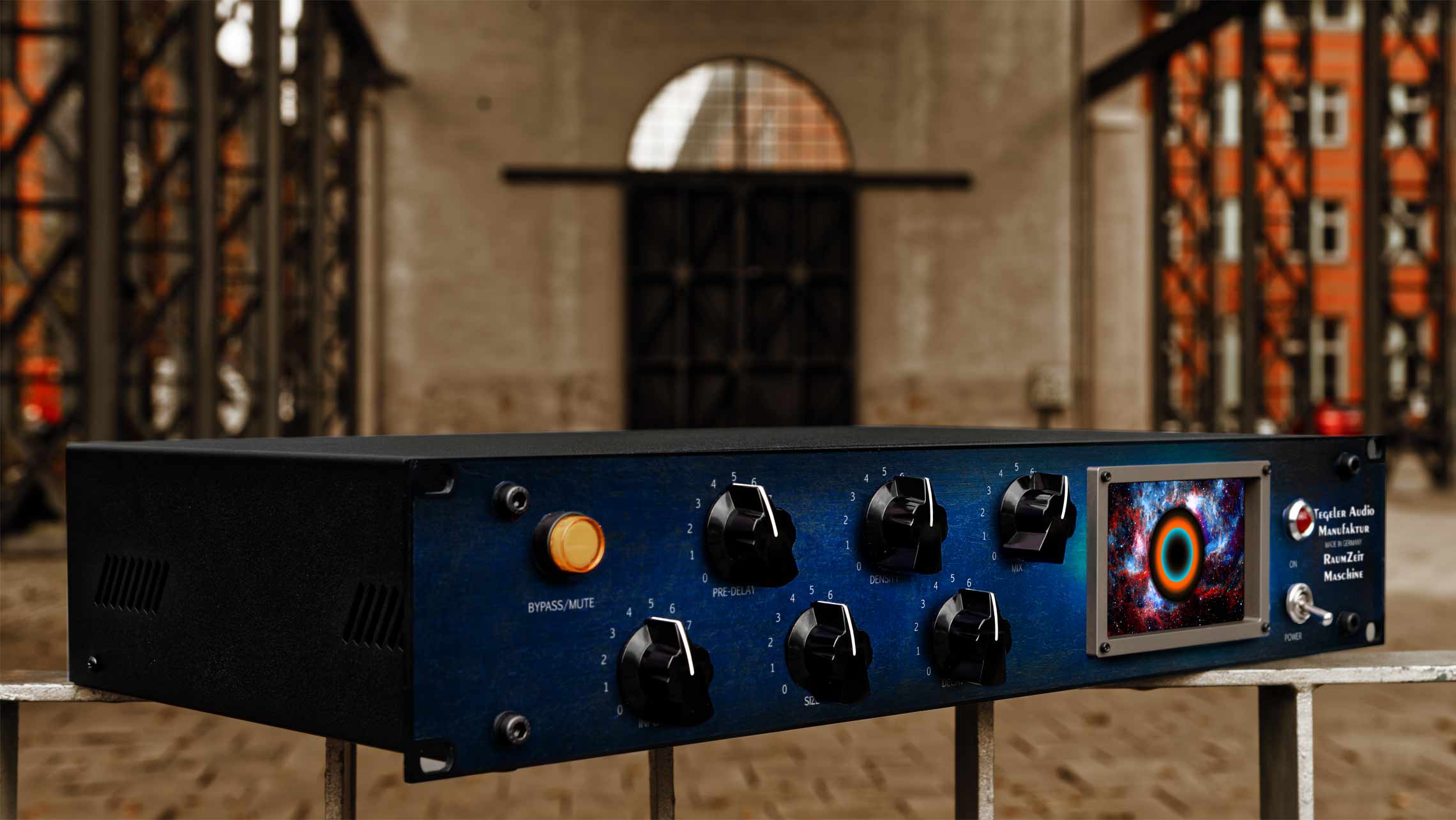
The Raumzeitmaschine creates a spatial tone that sounds very natural, transparent and clear on the one hand, but on the other hand it has a nice sound on its very own.
This is achieved through the unique combination of digital and analog components. There is of course a processor that calculates the reverb. This is enriched by the typical analog sound of our devices.

Unique operating concept
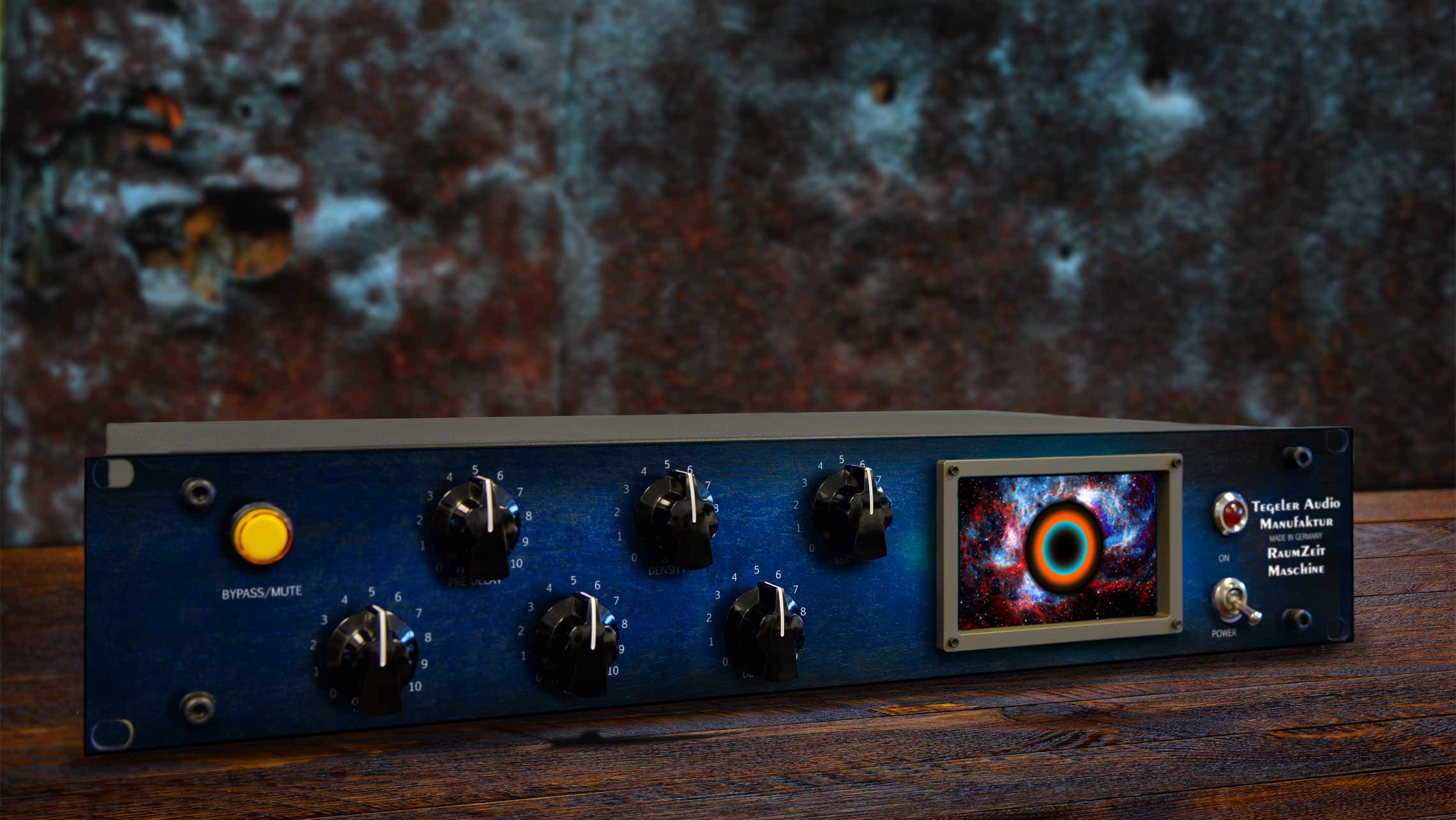
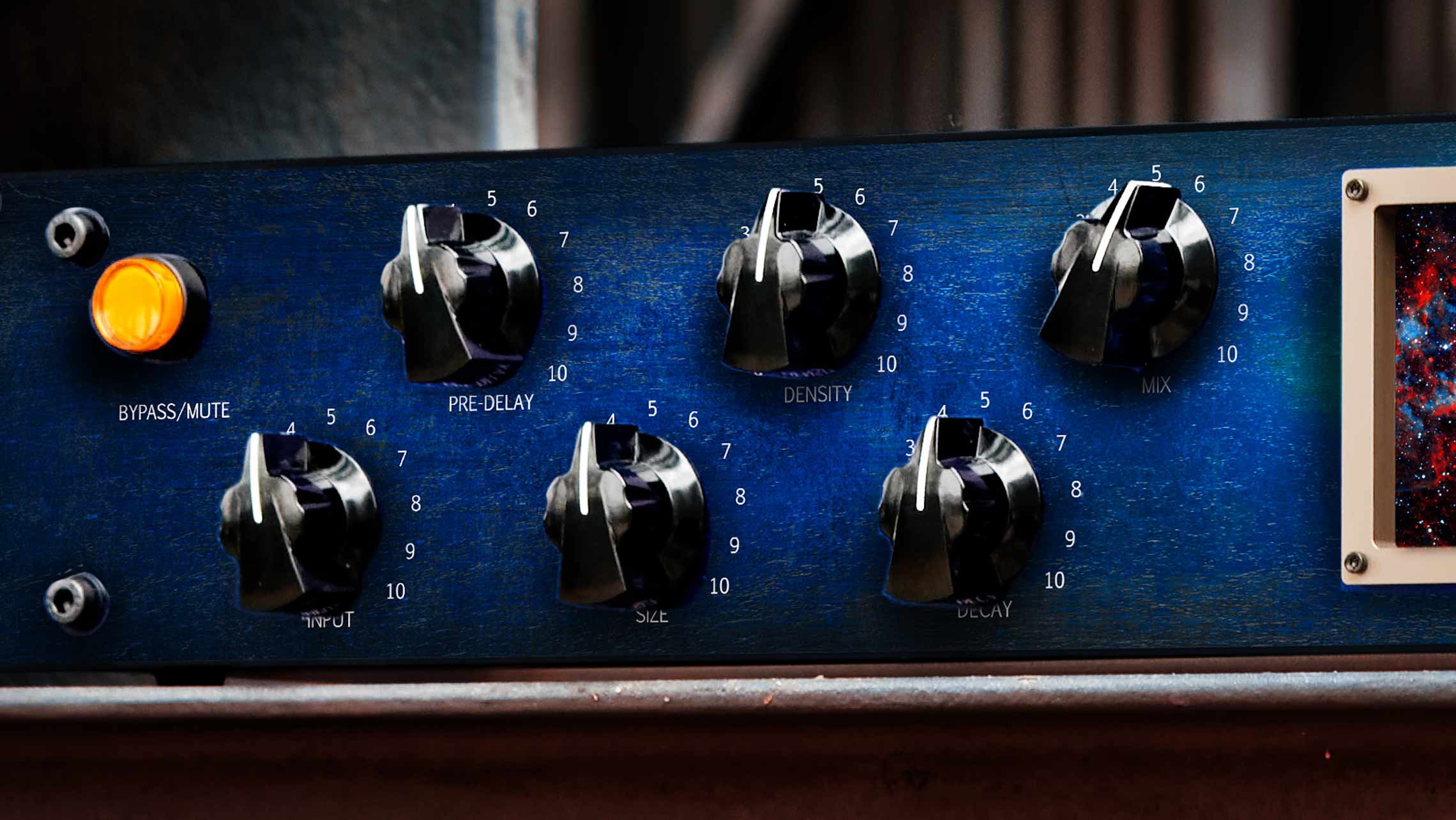
The Raumzeitmaschine offers the most direct access to the right sound with only three parameters.
Instead of plodding through hundreds of parameters (90 percent as non-programmers, not knowing what they're doing), now you can tune the sound to the way your mix needs it.
An operating approach as with a real musical instrument.
Presets in simple
We have omitted the complicated preset management directly on the device.
If you remember programming the timer on a VCR, then you know why.
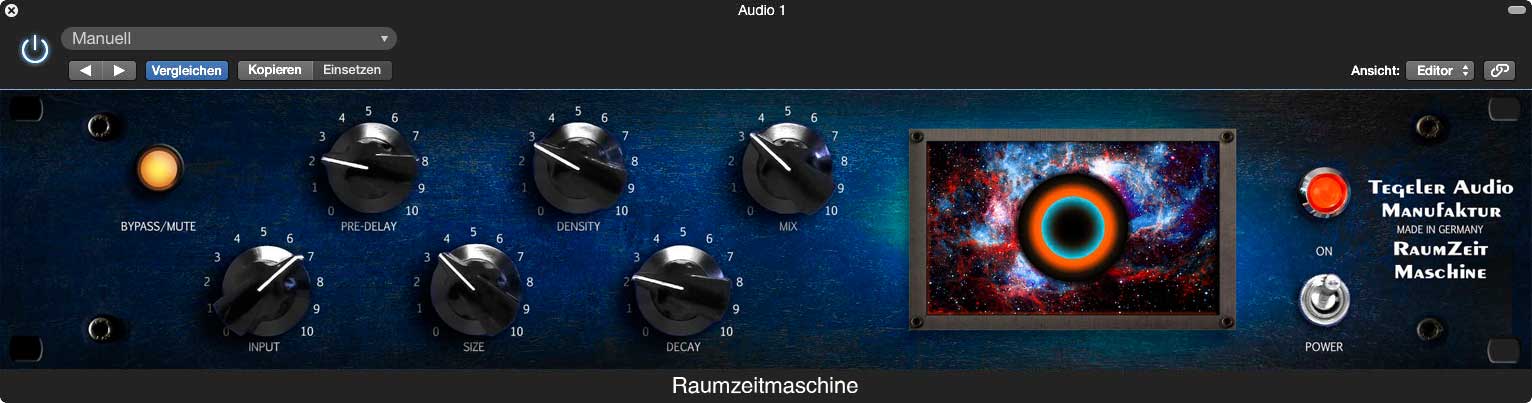
The Raumzeitmaschine is equipped with servomotors and thus controllable remotely by the DAW. Conversely, direct changes to the device also land immediately in the Raumzeitmaschine plug-in.
Use the preset management of your DAW or the Raumzeitmaschine plug-in.
It's as simple as that!
Remote-controlled
All controls of the Raumzeitmaschine are equipped with servomotors.
You can control it directly on the frontpanel, by the internal webserver or by the DAW plug-in (AU, AAX, VST).
Because the Raumzeitmaschine connects to your computer via Ethernet, there is no limit on cable length like using USB. Wireless via your router is also no problem.
Tubes?
Yes, tubes!
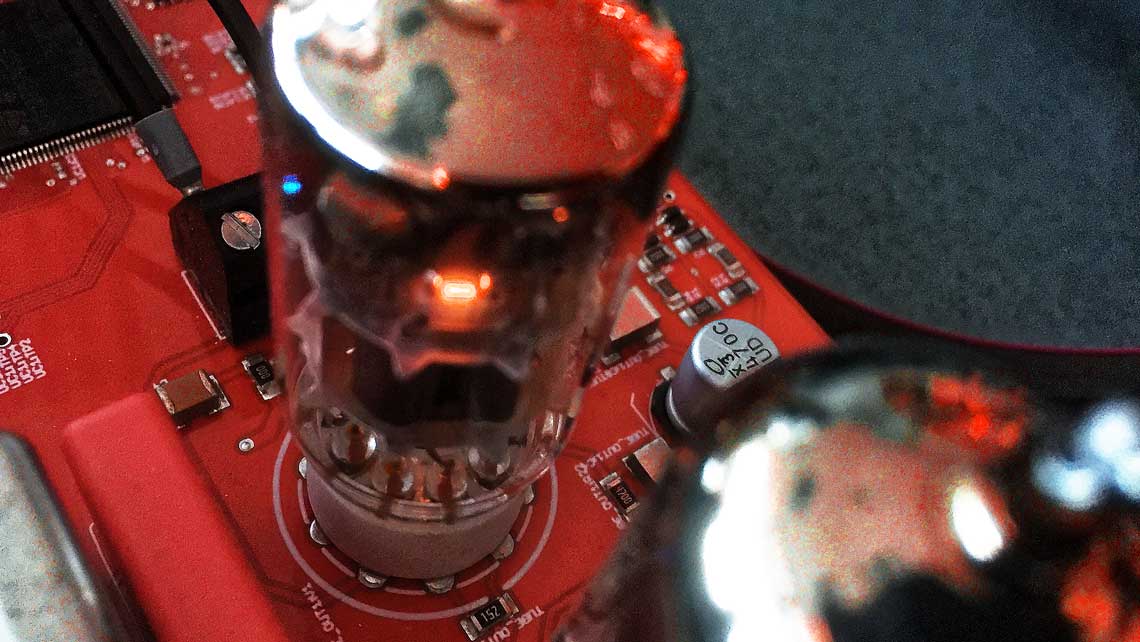
The Raumzeitmaschine has two double triodes per channel as well as input and output transformers. That's why there are only analog inputs and outputs, not digital ones. An important sound component would otherwise be missing without it.
If you like it fatter, you can even try to override the tube from the input stage.
Not only 'Natural' sounds
Although the goal was a natural surround sound, it is also possible to create unnatural sounds too.
A storeroom with 3 seconds of decay time?
Easy.
Sounds unusual.
But can fix the mix.
Can be tried out within one second.
How does it sound in comparison?
Different to all the Lexi-TC-Event-Bri-Qs.
The Raumzeitmaschine will definitely not replace a plate or reverb spring.
But it's unique spatiality is guaranteed to find its place as the main reverb in your setup.
Listen for yourself and be enchanted.
Photos

Videos
Review
Produce Like A Pro
The Most Unique Reverb in 20 Years?
English / English
Tegeler Audio Raumzeitmaschine Review!
English / English
Quick Hits: Tegeler Audio Raumzeitmaschine Reverb
English / English
Test - Tegeler Audio Manufaktur Raumzeitmaschine - Tube Reverb
English / English
Riverbero Valvolare Analogico l Raumzeitmaschine by Tegeler Audio Manufaktur
Italiano / Italian
Tegeler Audio Manufaktur Raumzeitmaschine
Français / French
“时空机器”声音空灵深邃 - Tegeler Audio Raumzeitmaschine 电子管混响
中文 / Chinese
Raumzeitmaschine Röhren-Hallgerät von Tegeler Audio Manufaktur - Vorgestellt
Deutsch / German
REALISTIC ROOM MOJO to your mixes | TEGELER RAUMZEITMASCHINE
English / English
The Raumzeitmaschine reverb unit #tegelervideocontest
English / English
Landhaus Studios
Tegeler Audio Manufaktur Creme & Raumzeitmaschine Review
Deutsch / German
The Raumzeitmaschine: Your Studio's Ultimate Reverb?
English / English
Sound Demo
Raumzeitmaschine Functions
English / English
Raumzeitmaschine Guitar (no talking)
English / English
Raumzeitmaschine Techno (no talking)
English / English
Raumzeitmaschine Sterne
English / English
Raumzeitmaschine Sterne Stems
English / English
Theresa Cherchi
Wake Me Up - Theresa Cherchi feat. Melissa Metzner
English / English
Features
Features
- True stereo
- Input: XLR, transformer-balanced
- Output: XLR, transformer-balanced
- Reverb processor
- Adjustable Pre-delay, Room size, Density and Decay Time
- Ethernet
- Controllable by the webpage of the device or by plug-in (VST, AU, AAX)
- Servo pots
- Dynamic: >110dB unweighted
- Attenuation-to-crosstalk ratio L/R >90 dB @ 1 kHz
- Internal power supply (25W)
- Height: 88,1mm (2u), Width: 483mm, Depth: 250mm
Specifications
- Frequency Response: 10Hz - 22kHz
- Maximum Input Level: +22 dBu
- Input Impedance: ≥ 10kΩ
- Output Impedance: < 600 Ω
- Maximum Output Level: +24 dBu
- Dynamic Range: ≥ 110 dB
- Voltage: 110- 240 V~/50-60 Hz
- Fuse: 500mA slow-blow
- Maximum Power Consumption: < 25 W
- Dimensions: 2 U, H:88.1 mm, W:483 mm, D:250 mm
FAQ
For economic and environmental reasons, we refrained from throwing away everything with the old logo. Instead, we will replace all parts and materials piece by piece. Of course, when you buy a unit, you get the same quality no matter what logo is on the outside.
Simply set up an Internet share for your Mac's network interface.
Go to
System Preferences->Shares, select Internet Sharing on the left. At
Share connection, select your internet connection (e.g. WLAN). At
With computer via: select the interface that is connected to the device. 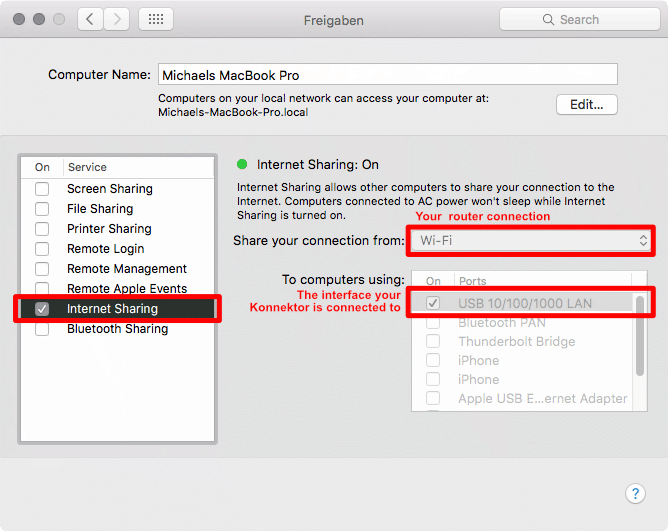
Now the device will get an IP address and will be found by the plugin.
Option 1
Use a Wifi repeater with LAN connector.It builds a bridge between the ethernet of the device and your Wifi network.
Option 2
Connect the device via network cable to your computer and enable internet sharing.Use the plugins context menu (right click) to show the IP address of the Raumzeitmaschine. You can also go directly to the Raumzeitmaschine website from the context menu.
The Raumzeitmaschine gets its IP address from a local DHCP server in you network. You will find the DHCP server in your internet router or network server. Look for a list of taken IP addresses.
- Check if you have the latest plug-in version installed.
- Windows: Add a share for your DAW(s) to Windows Defender or other firewalls or antivirus programs: https://www.youtube.com/watch?v=IDewmCvFs2M.
- If that doesn't help, email contact@tegeler.com with the following information:
A detailed error description incl. OS version, DAW version, Plugin version, What exactly happens after you do what?
Please send us screenshots of your network settings if applicable (see Quickstart Network Guide).
Right-click on the plug-in interface and check "Ignore empty presets" to fix this.